

If you’re wondering how to watch live TV without cable, you’re not alone. More viewers are looking for ways to access live channels, sports, news, movies, and entertainment without relying on a traditional cable subscription.
The good news is that you have more choices than ever.
Today, you can watch live television through IPTV, live TV streaming services, Smart TVs, streaming devices, digital antennas, and other internet-connected platforms. Some options are designed to replace much of the traditional cable experience, while others are better suited to specific types of content.
The important thing is understanding how each option works before deciding which one is right for you.
If your goal is to watch live TV without cable, this guide explains the main options, what equipment you need, how much internet speed you may need, how IPTV fits into the picture, and what to consider before cutting the cord.
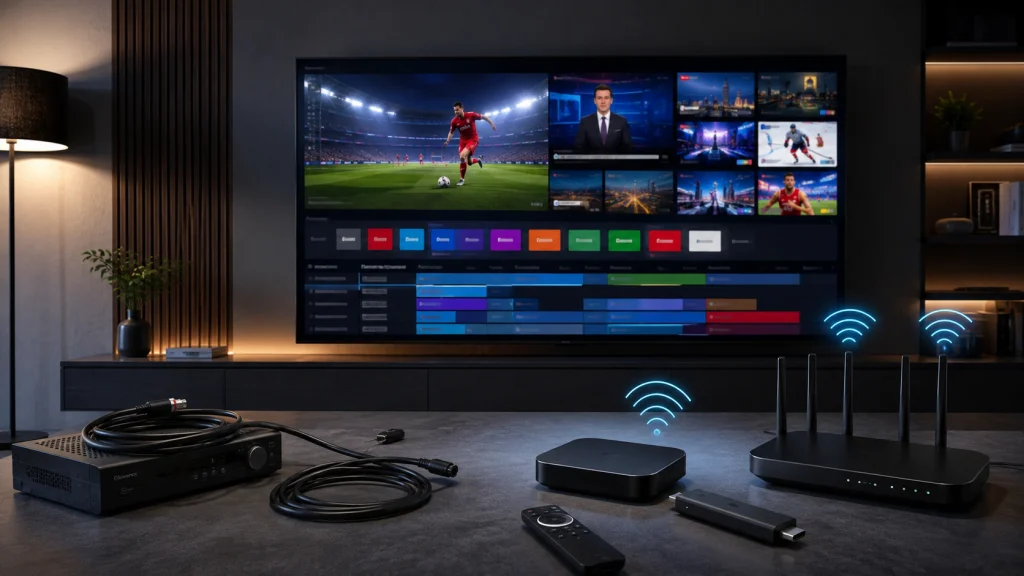
What Does It Mean to Watch Live TV Without Cable?
Watching live TV without cable means accessing television programming without receiving your channels through a traditional cable television subscription.
Instead of a cable connection running directly to a set-top box, your television content may arrive through:
- An internet connection
- An IPTV service
- A live TV streaming platform
- A Smart TV application
- A streaming device
- An over-the-air antenna
The experience can still feel similar to traditional television.
You can watch live news, sports, entertainment, movies, and other programming, but the technology delivering those channels is different.
This distinction is important because not every streaming service is a replacement for cable.
For example, an on-demand platform may give you thousands of movies and shows but no traditional live channel lineup. A live TV service is specifically designed to provide channels that you can watch as they are broadcast.
IPTV can also provide a live-TV experience through an internet connection, depending on the service and application being used.
How to Watch Live TV Without Cable
There are several major ways to watch live television without a traditional cable subscription.
1. IPTV
IPTV delivers television programming through an internet connection rather than a traditional cable or satellite television connection.
Depending on the service, IPTV can provide access to live channels, sports, movies, series, and video-on-demand content.
For viewers who want a large live-TV experience across compatible devices, IPTV can be one of the most flexible options.
2. Live TV Streaming Services
Several mainstream streaming platforms offer live television packages designed specifically for cord-cutters.
These services can provide live channels, news, sports, entertainment networks, and sometimes cloud DVR functionality.
Current 2026 comparisons continue to identify services such as YouTube TV, Hulu + Live TV, Sling TV, Fubo, DIRECTV, and Philo among the major live-TV alternatives to cable.
3. Digital Antenna
An over-the-air antenna can provide access to certain local broadcast channels without a monthly cable subscription.
This can be particularly useful for viewers who mainly want local news, network television, and other free-to-air broadcasts.
However, availability depends heavily on your location and the broadcast signals in your area.
4. Smart TV Applications
A modern Smart TV may allow you to install streaming applications directly onto the television.
This means you may not need an external streaming box or stick.
The exact applications available depend on the television’s operating system.
5. Streaming Devices
Devices such as Fire TV, Google TV, Roku, and Apple TV can turn a television into a more flexible streaming platform.
They can be particularly useful when your existing television is older or doesn’t support the applications you want.
IPTV: One of the Main Ways to Watch Live TV Without Cable
For viewers interested specifically in live television, IPTV is worth understanding.
IPTV stands for Internet Protocol Television.
Instead of receiving television programming through a traditional cable network, IPTV uses internet-based delivery.
This makes IPTV fundamentally different from simply downloading movies or watching YouTube videos.
The goal can be to provide a television-style viewing experience through an internet-connected device.
Depending on the service, an IPTV platform may include:
- Live TV channels
- Sports programming
- Movies
- Series
- Video on demand
- Electronic program guides
- Multiple categories
- Different picture-quality options
This can make IPTV particularly appealing to people who want to watch live TV without cable while keeping a channel-oriented viewing experience.
What Do You Need to Watch Live TV Without Cable?
One of the advantages of modern television streaming is that the equipment requirements are relatively simple.
In most cases, you need:
A Television
You can use a modern Smart TV or a regular TV connected to a compatible streaming device.
An Internet Connection
Internet-based television requires a stable connection.
Your required speed depends on video quality, the number of simultaneous streams, and what else is happening on your home network.
A Compatible Device
Depending on the service, you may use:
- Smart TV
- Fire TV
- Google TV
- Android TV
- Apple TV
- Roku
- Another compatible streaming device
A Compatible Application
The application you use depends on the television platform and service.
Before choosing a device, always confirm that the application you intend to use is compatible with it.
Your TV Service or Subscription
Finally, you need access to the service providing the channels or content you want to watch.
For TereaTV users, your subscription and compatible application work together to provide access to the available IPTV content.
How Fast Does Your Internet Need to Be?
Internet speed is one of the most important factors when you want to watch live TV without cable through an internet-based service.
There isn’t one universal speed requirement because different video qualities and household conditions require different amounts of bandwidth.
For example, the FCC has discussed approximately 25 Mbps as a benchmark associated with 4K video use, while current streaming guidance can vary by platform and video quality.
A practical approach is to think about your household rather than just one television.
If one person is streaming HD video while another person is gaming, using video calls, or downloading large files, your connection needs to handle all of those activities simultaneously.
For HD Streaming
A stable connection with enough available bandwidth for HD video is generally sufficient for a single stream.
For 4K Streaming
4K requires considerably more bandwidth than standard-definition or HD video.
A connection that works perfectly for one HD stream may struggle when multiple high-resolution streams are running simultaneously.
Don’t Look Only at Your Advertised Speed
Your internet package might advertise a high maximum speed, but your actual experience can be affected by:
- Wi-Fi signal strength
- Router quality
- Network congestion
- Distance from the router
- Interference
- Other connected devices
- ISP performance
- Device limitations
This is why a strong internet plan does not automatically guarantee perfect streaming.
Can You Watch Live TV Without Cable on a Smart TV?
Yes.
A modern Smart TV can be one of the easiest ways to access live television without a traditional cable subscription.
Instead of connecting a cable box, you connect the television to the internet and use compatible applications.
This can reduce equipment and simplify your entertainment setup.
Advantages of Using a Smart TV
- No additional streaming device
- One remote control
- Fewer cables
- Simple installation
- Built-in Wi-Fi
- Access to streaming applications
Potential Disadvantages
Older Smart TVs can become slow over time.
The operating system may also stop receiving application updates, and some services may not support older television platforms.
If your Smart TV is slow or doesn’t support the application you need, an external streaming device can be a practical upgrade.
Can You Watch Live TV Without Cable on Fire TV?
Fire TV devices are popular because they provide a dedicated streaming environment without requiring you to replace your television.
Higher-end Fire TV hardware can support 4K streaming and modern wireless standards. Amazon’s current specifications list Wi-Fi 6E support for the Fire TV Stick 4K Max (2nd Gen).
A typical setup is simple:
TV → HDMI → Fire TV → Wi-Fi/Ethernet → Internet
Once the device is configured, you can install compatible streaming applications and use the remote to navigate them.
The most important thing is to verify application compatibility before purchasing a specific Fire TV model.
Can You Watch Live TV Without Cable on Google TV?
Google TV is another popular platform for cable-free television.
The current Google TV Streamer (4K) is a dedicated streaming device that supports 4K video and includes 4 GB of RAM, 32 GB of storage, and built-in Ethernet.
The Ethernet connection can be useful for viewers who want to connect their streaming device directly to their router.
This can reduce dependence on Wi-Fi and is particularly practical when the router is located close to the television.
Google TV can therefore be an attractive option for people who want a dedicated device for live streaming, IPTV applications, and other television services.
Can You Watch Live TV Without Cable on Apple TV?
Apple TV 4K provides another premium option.
Apple’s current third-generation Apple TV 4K uses an A15 Bionic chip and supports Wi-Fi 6. The Ethernet model includes Gigabit Ethernet.
Apple TV can be particularly appealing if you already use Apple products.
However, application compatibility should always be checked before purchasing a device specifically for IPTV.
The best streaming hardware in the world is not useful if the application you need isn’t supported on its operating system.
Can You Watch Sports Without Cable?
Yes.
Sports are one of the biggest reasons people look for ways to watch live TV without cable.
Traditional cable bundles have historically been popular with sports viewers because they combine multiple sports networks into one package.
Today, viewers have several alternatives, including:
- Live TV streaming services
- Sports-specific subscriptions
- IPTV services
- Network applications
- Official league applications
- Digital antennas for certain local broadcasts
However, sports availability varies significantly between services.
A service may carry one league or network but not another.
Before subscribing, make a list of the sports you actually watch.
For example:
- NFL
- NBA
- NHL
- MLB
- Soccer
- College sports
- International sports
- Motorsports
Then check whether the service provides the channels or programming you need.
Don’t choose a service simply because it advertises “sports.”
Can You Watch Movies Without Cable?
Absolutely.
Movies are one of the easiest categories to access without cable.
You can use:
- On-demand streaming platforms
- Live TV streaming services
- IPTV VOD libraries
- Free ad-supported services
- Digital rentals
- Digital purchases
The difference is that on-demand services are designed around choosing individual titles, while live TV services are designed around channels and scheduled programming.
IPTV services may combine live channels with VOD, giving users both types of viewing within the same broader platform.
Live TV Streaming vs On-Demand Streaming
These two concepts are often confused.
Live TV Streaming
Live TV streaming attempts to recreate the traditional television experience through an internet connection.
You select a channel and watch what is currently being broadcast.
This is useful for:
- News
- Sports
- Live events
- Traditional channel surfing
- Scheduled television programs
On-Demand Streaming
On-demand services allow you to select a specific movie or program and watch it when you want.
This is useful for:
- Movies
- Series
- Documentaries
- Original programs
- Watching content at your own schedule
Many households use both.
IPTV vs Traditional Cable TV
IPTV and cable can provide similar types of television content, but they use different delivery systems.
| Feature | IPTV | Traditional Cable |
|---|---|---|
| Delivery | Internet | Cable network |
| Internet required | Yes | Usually no for basic TV delivery |
| Hardware | Compatible device/app | Cable box or provider equipment |
| Flexibility | High, depending on service | Provider-dependent |
| Device options | Smart TVs, streaming devices, etc. | Usually provider equipment |
| Installation | Usually app/device based | Provider installation may be required |
| VOD | Often available | Often available |
| Live channels | Yes, depending on service | Yes |
The biggest difference is the delivery method.
IPTV relies on an internet connection, while traditional cable television uses the cable provider’s television infrastructure.
Is IPTV Cheaper Than Cable?
This depends on the specific services and packages being compared.
Cable bills can include more than the basic television package.
Depending on the provider, customers may encounter additional costs related to:
- Equipment
- Premium channels
- DVR
- Installation
- Taxes
- Regional fees
- Additional receivers
Live TV streaming services can also become expensive as users add packages and premium content. Current 2026 comparisons show that major live-TV streaming services can range from budget-oriented options to packages approaching or exceeding traditional TV pricing.
This means you shouldn’t assume that every internet-based option is automatically cheaper.
Instead, compare the total monthly cost against the channels and features you actually use.
What Is the Cheapest Way to Watch Live TV Without Cable?
There isn’t one answer for everyone.
If you mainly want local broadcast channels, an antenna may provide a very inexpensive solution after the initial equipment purchase.
If you want a broad live-channel lineup, you may prefer a live TV streaming service or IPTV.
If you only watch a few specific channels or programs, a smaller streaming package may make more sense than paying for a large bundle.
The key is to stop paying for channels you never watch.
What Is the Best Way to Watch Live TV Without Cable?
The best option depends on your viewing habits.
Choose IPTV if:
You want a broad internet-based television experience and your preferred IPTV service provides the channels and content you want.
Choose a Live TV Streaming Service if:
You want a mainstream cable-like package delivered through the internet.
Choose an Antenna if:
You mainly want local over-the-air broadcasts.
Choose On-Demand Streaming if:
You rarely watch live television and mostly watch movies and series.
Use a Combination if:
You want to build a personalized setup using different services for different types of content.
Many cord-cutters don’t replace cable with one single service.
Instead, they combine two or more options to recreate only the parts of their old cable package they actually used. Current cable-alternative guides similarly describe a mix of live-TV streaming, on-demand services, free ad-supported platforms, and antennas as common approaches.
How to Cut the Cord Without Losing Your Favorite Channels
Before canceling cable, make a list of what you actually watch.
Write down:
- Favorite channels
- Sports networks
- Local stations
- News channels
- Movie channels
- Children’s channels
- International channels
- Favorite programs
Then identify which service provides each category.
This prevents one of the biggest cord-cutting mistakes: canceling cable and discovering afterward that an important channel isn’t available through your replacement service.
Check Local Channel Availability
Local channels deserve special attention.
Depending on where you live, local ABC, CBS, FOX, NBC, PBS, and other broadcast channels may be available through an antenna or certain live-TV services.
Availability varies by location.
Don’t assume that a service offering “100+ channels” necessarily includes every local channel you want.
Think About Sports Before Cutting Cable
Sports can complicate cord-cutting.
A general entertainment streaming service may not include the sports networks or regional channels you need.
If sports are your priority, determine exactly what you watch before canceling cable.
For example, someone who watches only national NFL games has very different requirements from someone who follows several leagues throughout the year.
Consider How Many People Use Your Internet
A household with one television has different needs from a home with:
- Multiple Smart TVs
- Several smartphones
- Gaming consoles
- Computers
- Video calls
- Security cameras
- Smart-home devices
The FCC has noted that household bandwidth needs increase when multiple applications and users operate simultaneously.
This is especially important for 4K households.
If several people stream high-resolution video at the same time, your internet plan and home network need enough capacity to handle the combined demand.
Wi-Fi vs Ethernet for Live TV
Wi-Fi is convenient and works very well in many homes.
However, Ethernet can be useful when you want a direct wired connection.
Wi-Fi advantages
- No Ethernet cable required
- Easy device placement
- Convenient for streaming sticks
- Good flexibility
Ethernet advantages
- Wired connection
- Less affected by wireless interference
- Consistent connection between router and device
- Useful for stationary streaming boxes
If your router is next to your television, Ethernet is worth considering.
If your television is on the other side of the house, strong Wi-Fi may be much more practical.
What If Your Live TV Keeps Buffering?
Buffering doesn’t necessarily mean your IPTV service or streaming device is bad.
Potential causes include:
- Weak Wi-Fi
- Network congestion
- Router problems
- ISP issues
- Device limitations
- Application problems
- Insufficient bandwidth
- Problems with the streaming source
Start with the simplest checks.
Restart your router and streaming device.
Move closer to the router if you’re using Wi-Fi.
Test another application.
If possible, test Ethernet.
Check whether other household devices are consuming significant bandwidth.
If only one application is affected while everything else works normally, the issue may be specific to that application or service.
Do You Need a Streaming Device?
Not necessarily.
If your Smart TV is modern and supports everything you need, you can use it directly.
An external streaming device becomes useful when:
- Your TV is slow
- The operating system is outdated
- Your preferred application isn’t available
- You want better hardware
- You want Ethernet
- You want to upgrade without replacing the television
For many households, a streaming device is a relatively simple way to modernize an older TV.
How to Choose a Streaming Device
When selecting hardware, consider:
Processor
Better hardware generally means faster menus and application performance.
RAM
More memory can help the device remain responsive when running applications.
Storage
Storage is useful for applications and system updates.
Wi-Fi
Look at the actual Wi-Fi standard rather than simply assuming all Wi-Fi devices perform the same.
Ethernet
Useful if your router is close and network stability is important.
4K
Choose a 4K-capable device if you have a 4K television and want to watch compatible 4K content.
Application Compatibility
This may be the most important consideration of all.
Make sure the applications you need are supported before buying the device.
Common Mistakes When Cutting the Cord
Canceling Cable Too Quickly
Don’t cancel before confirming your replacement services.
Choosing Based Only on Price
The cheapest option may not provide the channels you actually watch.
Ignoring Local Channels
Check local broadcast availability before making a decision.
Forgetting Sports
Sports rights are divided between many networks and services.
Assuming Every Streaming Service Is the Same
Live TV streaming, on-demand streaming, IPTV, and antenna television all work differently.
Ignoring Your Internet Connection
If you’re moving from cable television to internet-based TV, your home network becomes much more important.
Buying an Expensive Device You Don’t Need
You don’t necessarily need premium hardware for basic streaming.
Choose a device that matches your actual requirements.
How to Watch Live TV Without Cable on Multiple TVs
If you have several televisions, you have several options.
You can use Smart TVs independently, install compatible applications on multiple devices, or use separate streaming devices.
However, check your service’s rules regarding simultaneous streams and supported devices.
Your home network also needs to handle multiple streams at once.
A household with three or four televisions streaming simultaneously requires more network capacity than a household with one active television.
Can You Watch Live TV Without Cable While Traveling?
This depends on the service and its device/location policies.
Some platforms are designed primarily for home use, while others provide more flexibility.
Before traveling, check the service’s current terms and supported-device rules.
For IPTV applications, your experience can also depend on your internet connection while traveling and whether your chosen device is supported.
Is Cutting the Cord Worth It in 2026?
For many households, it can be.
But cutting the cord isn’t automatically about paying less.
It’s about having more control over what you pay for and how you watch television.
Traditional cable can be convenient because everything is bundled together.
The downside is that you may pay for many channels you rarely use.
Streaming and IPTV can let you build a more customized setup.
However, if you subscribe to too many separate services, your monthly costs can quickly increase.
The best approach is to calculate your actual monthly spending before and after switching.
A Simple Cord-Cutting Strategy
If you want to watch live TV without cable, use this process.
Step 1: List What You Watch
Write down your favorite channels, sports, movies, and programs.
Step 2: Separate Live From On-Demand
Determine which content must be watched live and which can be watched whenever you want.
Step 3: Check IPTV and Live TV Options
Compare services based on the content you actually need.
Step 4: Check Local Channels
Determine whether you need an antenna or a service that includes local stations.
Step 5: Check Your Internet
Make sure your connection can handle your household’s streaming requirements.
Step 6: Choose Your Device
Use your Smart TV if it’s capable, or choose a compatible streaming device.
Step 7: Calculate the Total Cost
Include subscriptions, premium packages, equipment, and internet.
Step 8: Test Everything
Before fully committing, verify that your favorite content works correctly.
IPTV for Live TV: What Makes It Different?
One reason IPTV continues to attract cord-cutters is that it can combine several television experiences within one service.
Instead of having one platform for live channels, another for movies, and another for series, an IPTV service may provide multiple content categories through a compatible application.
For viewers who prefer browsing channels rather than choosing individual titles, this can feel more familiar than traditional on-demand streaming.
At the same time, IPTV requires a reliable internet connection, and the exact channel lineup, device compatibility, application support, and features depend on the IPTV provider.
That’s why it’s important to research the service before subscribing.
Why TereaTV Can Be an Option for Cord-Cutters
For viewers looking for an IPTV-based way to watch live TV without cable, TereaTV provides an internet-based streaming option designed around live television and additional entertainment content.
The experience depends on your compatible device, internet connection, application, and subscription.
Before getting started, check the available TereaTV plans and make sure your preferred device and IPTV application are supported.
You can then follow the appropriate installation instructions and begin setting up your streaming experience.
“TereaTV Pricing Plans” to your actual pricing page.
“TereaTV FAQ” to your actual FAQ page.
“Contact TereaTV” to your actual contact page.
Frequently Asked Questions
Can I watch live TV without cable?
Yes. You can watch live TV without cable using IPTV, live TV streaming services, a digital antenna, Smart TV applications, or compatible streaming devices.
What is the easiest way to watch live TV without cable?
For many people, the easiest option is using a modern Smart TV or streaming device with a compatible live-TV application. The best choice depends on the channels and content you want.
Can I watch sports without cable?
Yes. Sports can be accessed through certain live TV streaming services, sports-specific subscriptions, IPTV services, network applications, and other platforms. Availability varies by sport and provider.
Can I watch local channels without cable?
Yes. Depending on your location, you may be able to receive local broadcast channels through a digital antenna or access them through a live-TV streaming service.
Do I need internet to watch live TV without cable?
Not always. A digital antenna can provide certain local broadcast channels without an internet connection. IPTV and internet-based live-TV services do require internet access.
What internet speed do I need for live TV?
Your required speed depends on video quality, the number of simultaneous streams, and other household internet activity. 4K streaming generally requires significantly more bandwidth than HD, and multiple simultaneous streams require additional capacity.
Can I use IPTV on a Smart TV?
If your Smart TV and its operating system support a compatible IPTV application, you may be able to use IPTV directly without an external streaming device.
Do I need a Fire TV or Google TV device?
No. If your Smart TV already supports the application you need and performs well, an additional device may not be necessary. A streaming device can be useful when your TV is older or lacks application support.
Is IPTV the same as Netflix?
No. Netflix is primarily an on-demand streaming platform, while IPTV can provide live television and, depending on the service, additional VOD content. They serve different viewing purposes.
Is IPTV the same as cable TV?
Not exactly. IPTV and cable can both provide live television, but IPTV delivers programming over an internet connection while traditional cable uses a cable television network.
Can I watch live TV without cable on multiple TVs?
Yes, but the exact experience depends on the service, supported devices, simultaneous-stream policies, and the capacity of your home network.
Can I watch 4K live TV without cable?
Yes, where compatible 4K content is available. You need a compatible television, streaming device or application, sufficient network capacity, and content delivered in 4K.
What is the best device for watching live TV without cable?
There is no universal best device. Modern Smart TVs, Fire TV, Google TV, Apple TV, Android TV, and other streaming platforms can all work well depending on application compatibility, performance, connectivity, and budget.
Is cutting the cord cheaper?
It can be, but not automatically. The final cost depends on which services you subscribe to, premium packages, equipment, internet costs, and how much content you actually consume.
Conclusion: How to Watch Live TV Without Cable in 2026
Learning how to watch live TV without cable is easier than it was just a few years ago.
You now have several choices.
You can use IPTV, a mainstream live-TV streaming service, a digital antenna, a Smart TV application, or a dedicated streaming device.
The right option depends on what you watch.
If local channels are your priority, an antenna may be enough.
If you mainly watch movies and series, on-demand streaming may make more sense.
If you want a traditional channel-based experience delivered through the internet, IPTV or a live-TV streaming service may be a better fit.
The most important thing is to avoid choosing based solely on price or channel count.
Look at the content you actually watch, your internet connection, your television, your preferred devices, application compatibility, and your total monthly cost.
For viewers considering IPTV, TereaTV can be part of a cable-free entertainment setup, provided the service and compatible application meet your requirements.
If you’re ready to explore your options, check the TereaTV Pricing Plans, review the TereaTV FAQ, and contact TereaTV Support if you need help getting started.
Cutting the cord isn’t about giving up television.
It’s about choosing a setup that works better for the way you actually watch it.
